 Switchmast
Twilio error 30001: queue overflow
Updated
30001 (Queue overflow) means you queued messages faster than your senders can send them, and they waited in Twilio's queue past their validity period (10 hours at most), so Twilio failed them unsent. Spread the load over more senders in a Messaging Service, move to a higher-throughput sender, or send more slowly.
What Twilio says it means
Twilio's error reference names 30001 Queue overflow, an application error. Twilio doesn't send every message the moment you create it: it queues messages according to the sending rate of the sender and the account. Twilio's examples: a US long code number can send one message segment per second, and a short code may send over 100 segments per second.
A message can stay in that queue for 10 hours. After that it fails automatically with 30001. If you set a shorter validity period, it fails sooner.
Because limits count segments, long messages and messages with emoji (UCS-2 encoding) use up throughput faster. A 3-segment message takes three of a long code's one-per-second slots. On a Trial account, long messages fail outright with 30044. See Twilio SMS pricing for how segments work.
Likely causes
- You sent a large batch (a campaign, a reminder run) from one number in a short time.
- All traffic goes through a single sender whose messages-per-second limit is too low for the volume.
- You hit the messages-per-second (MPS) limit of a sender, a Messaging Service or the account.
- You set a low validity period (for example, for one-time codes), so messages expire quickly while waiting.
How to check
- Find the failed messages. In the Twilio Console's Messaging logs, filter by error code 30001, or list messages with the API and look at
error_codeon each Message resource. - Look at the queue. Twilio's Queue Insights dashboard in the Console shows how long your queue is as you send.
- Count segments, not messages. Check
num_segmentson a few failed messages. Volume × segments ÷ senders gives the seconds your batch needs. - Check the validity period. It's under the Messaging Service's settings, or the
ValidityPeriodyou pass when sending.
How to fix it
- Use a Messaging Service with several senders. Twilio load-balances across the numbers in its sender pool, so more numbers means more segments per second.
- Get a faster sender. For the US and Canada, Twilio suggests talking to its Sales team about a toll-free number or a short code with a higher send rate.
- Resend the failed messages later, once the queue has drained, and spread big batches over time instead of firing them all at once.
- Raise a low validity period. If you set it below the default 36,000 seconds, try a higher value, unless the message is pointless after a few minutes (one-time codes), in which case failing is the right outcome.
How to prevent it
Work out the send time before a campaign: segments to send ÷ segments per second. If that's longer than you're willing to wait, add senders or throughput first. Keep messages to one segment where you can, and avoid characters that force UCS-2. For US 10DLC traffic, the throughput you get depends on your A2P 10DLC registration.
Related codes
- 20429 Too many requests: the API refused the send request itself.
- 30007 Message filtered: big bursts from a new sender also attract carrier filtering.
- 30003 Unreachable destination handset: a delivery failure at the carrier, not a queue problem.
How Switchmast helps
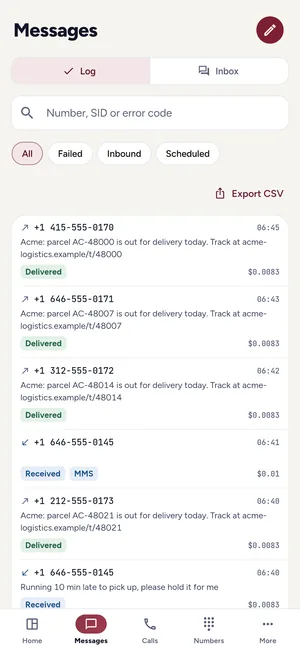
Switchmast's message log has a Failed filter, and each failed message shows its error explained in plain English, so a run of 30001s after a big send is easy to spot from your phone. Delivery insights group failures by sender (number or Messaging Service), which shows which sender ran out of throughput.
Questions
What does Twilio error 30001 mean?
Queue overflow: you queued messages faster than your sender, Messaging Service or account is allowed to send them, and they sat in Twilio's queue past their validity period, so they failed without being sent.
How long does Twilio keep a message in the queue?
Up to 10 hours. The validity period defaults to 36,000 seconds, which is also the maximum. You can set a lower value from 1 second on the Messaging Service or with the ValidityPeriod parameter on each send.
How fast can a Twilio number send?
Twilio's error page gives two examples: a US long code can send one message segment per second, and a short code can send over 100 segments per second. Limits also apply to Messaging Services and the account as a whole.
Is 30001 the same as 20429 Too many requests?
No. 20429 is the REST API refusing a request because the account made too many at once; the message is never created. 30001 means Twilio accepted the message but couldn't send it before it expired in the queue.
Sources
All read 27 November 2026.
- Twilio docs: Error 30001, Queue overflow (read 27 Nov 2026)
- Twilio docs: Message resource (ValidityPeriod 1 to 36,000 seconds, default 36,000) (read 27 Nov 2026)
- Twilio docs: Messaging Services (validity period setting) (read 27 Nov 2026)